
VibeFlow Documentation
Welcome to the user guide for the VibeFlow VS Code extension. The extension brings a full multi-persona AI engineering team directly into your IDE: Developer, Architect, Principal Engineer, Product Manager, Project Manager, UX Designer, QA Lead, Security Lead, and Customer agents that share context, write code, review each other, and ship work through a governed lifecycle.
What is the VibeFlow extension?
VibeFlow is a backend platform (Projects, Features, Todos, Issues, Documents, Contexts, Governance, Compliance) plus the agents that act on it. The VS Code extension is the live cockpit. From inside the IDE you can:
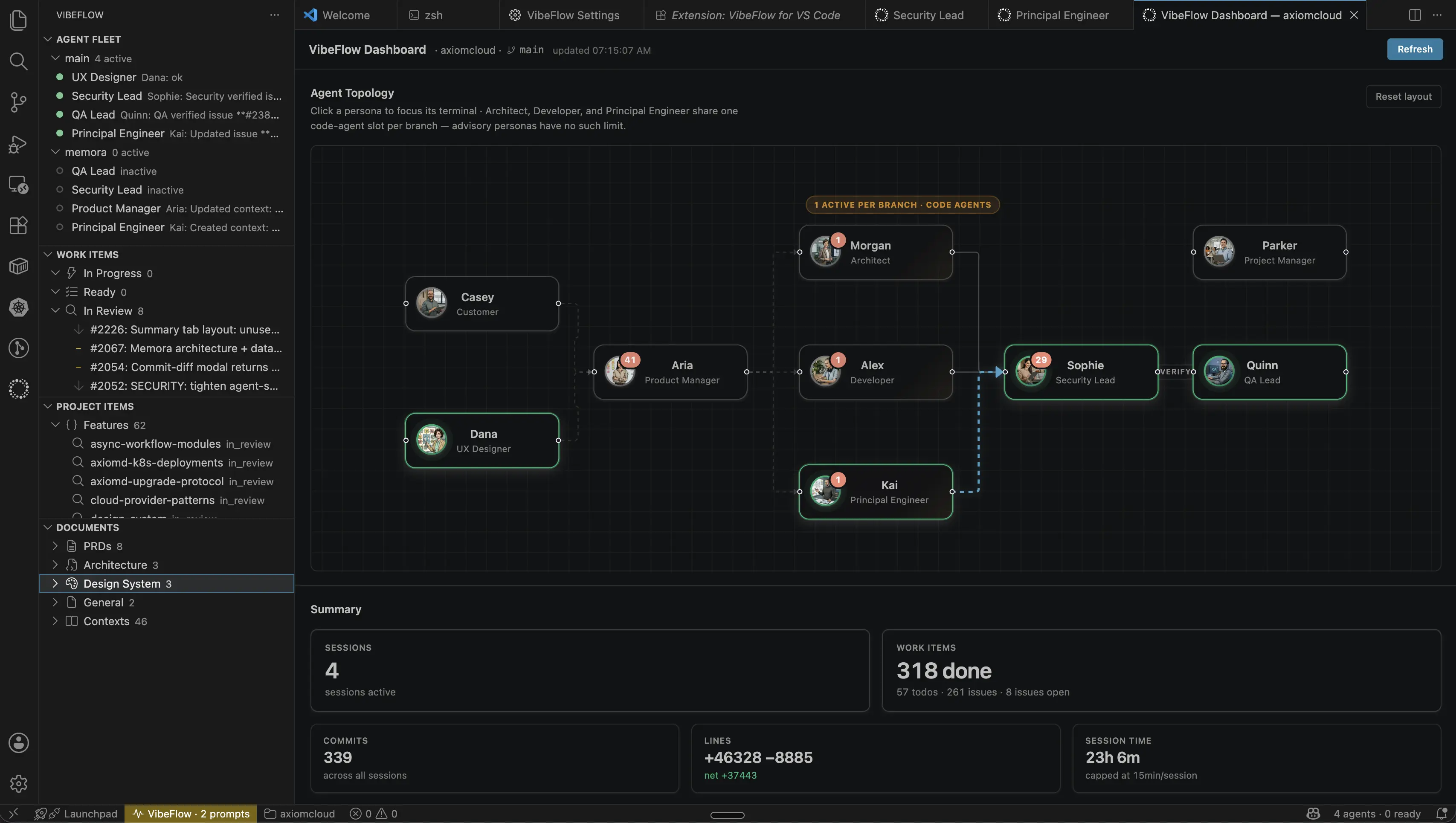
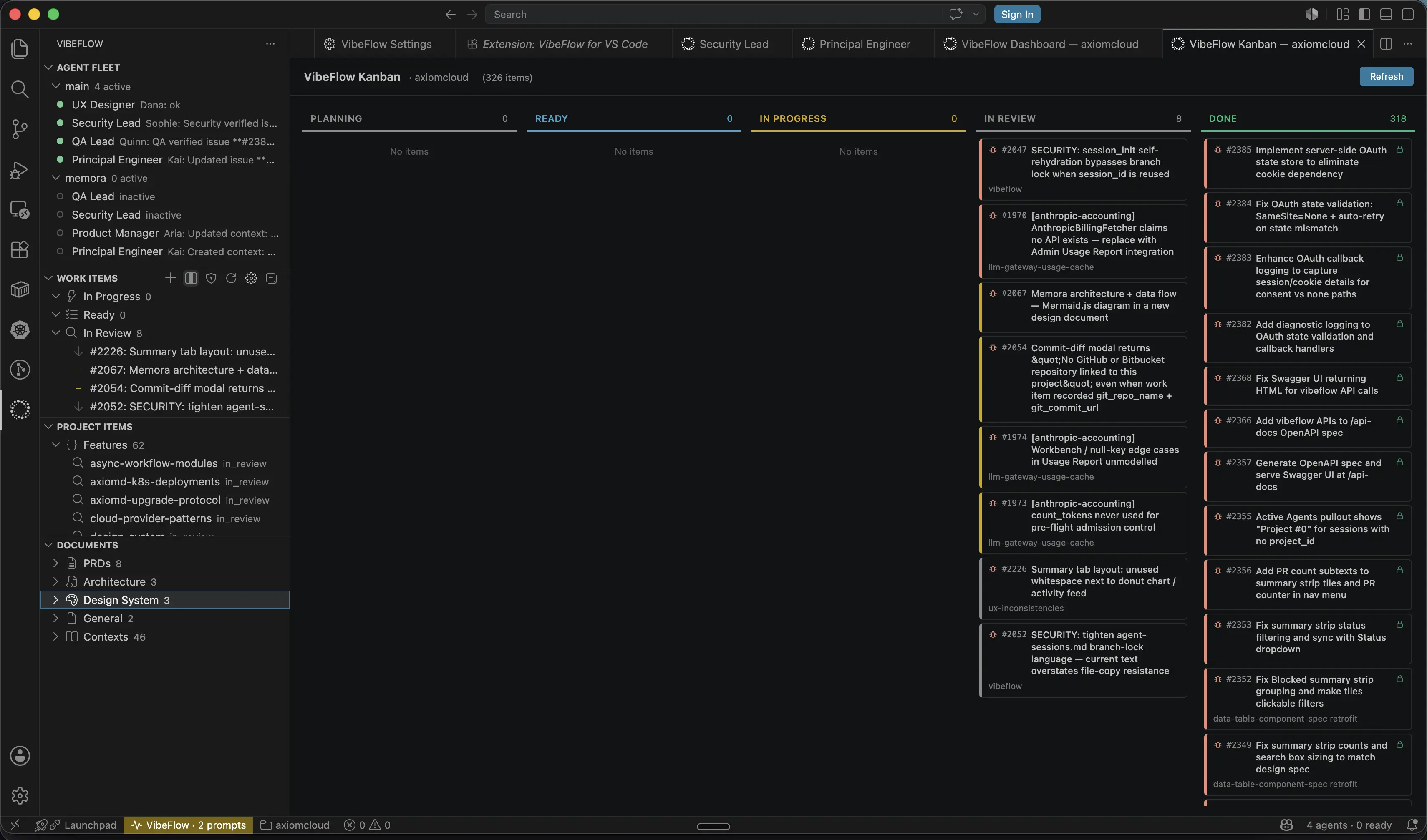
- See every running agent session in the Agent Fleet view, grouped by branch.
- Read and write work items in the Work Items and Project Items views.
- Watch real-time agent activity (claims, status transitions, commits, prompts) in the Activity Feed.
- Open a Session Chat panel to talk to a chat-first agent the way you'd talk to Copilot Chat, with @-mentions, file drop, persona avatars, clickable commit hashes and issue/todo references, and inline diffs.
- Govern AI-generated changes through security review and QA verification gates before they ship.
- See the agents collaborate on a Dashboard (React Flow topology + metrics) or a Kanban Board organized by status.
If you already know what VibeFlow is from the cloud product, the extension is the same workflow, with the IDE wired in as a first-class surface.
How it works
- Install + connect: the extension's 3-step Setup wizard asks for a server URL, an API key, and a project. Auto-detects the project from your workspace's git remote.
- Launch a session: pick a persona, branch, and provider (Claude, Codex, Gemini, Cursor). A terminal opens with the agent inside, or a chat panel if you picked chat-first mode.
- Agents poll for work: each persona's session calls
wait_for_workagainst the backend, picks up work items targeted at its role and branch, and starts implementing. - You stay in the loop: agents ask for input through prompts that show up in the Activity Feed and as VS Code notifications. You can answer inline, convert chat messages into tracked todos, or drive the conversation in chat-first mode.
- Code lands: every commit is recorded against the work item with author, files changed, and lines added. Branch review status surfaces in the status bar so you know when a branch is ready for a PR.
- Governance gates: after a Developer agent marks an item done, the Security Lead persona inspects the diff, then the QA Lead verifies acceptance. Both pass, the item is closed.
Documentation sections
| Section | When to read it |
|---|---|
| Getting Started | First install. Install, sign in, first session in ~5 minutes. |
| Feature Tour | Once you're set up. A guided lap of every view, panel, and command. |
| Workflows and Flow Diagrams | When you want to understand how the pieces fit together. Sequence and state diagrams in Mermaid. |
| Chat-First Mode | When you've heard "chat-first" and want the deep dive. What it is, when to use it, and why it differs from vanilla. |
| Cloud Runners | Run agents on cloud-hosted machines instead of your laptop. Create, start/stop, manage, and open a terminal to a runner. |
| Git Configuration | The git credentials Cloud Runners use to clone and push. Adding PAT/SSH providers, managing them, diagnostics. |
| Settings Reference | Every key, type, default, and gotcha. |
| Troubleshooting | When something broke. Symptom, cause, and fix for the ~17 most common problems. |
| Glossary | Every VibeFlow-specific word defined for non-technical readers. |
| FAQ | ~27 questions across 8 sections. |
Conventions used across the docs
- The
VibeFlow:prefix marks every command (e.g.VibeFlow: Launch Session). Run any of them via the Command Palette (Cmd/Ctrl+Shift+P). - The
vibeflow.prefix marks every setting key (e.g.vibeflow.serverUrl). Find them via the Settings panel orsettings.json. - View names are capitalized: Welcome, Agent Fleet, Work Items, Project Items, Documents, Activity Feed.
- Persona names are capitalized, with the character name in parentheses on first mention: Developer (Alex), Architect (Morgan), Principal Engineer (Kai), Product Manager (Aria), Project Manager (Parker), UX Designer (Dana), QA Lead (Quinn), Security Lead (Sophie), Customer (Casey).
- Issue references look like
#NNNNand link back to specific incidents in the troubleshooting and flow docs.
Where these docs live
These pages ship in the repository, not in the published .vsix. The marketplace tile, the in-VS-Code walkthrough, and the repo's top-level README cover the essentials for new users browsing the marketplace.
Found a mistake?
Open an issue at the VibeFlow extension repository or run VibeFlow: Report an Issue… from the Command Palette. The pre-populated report includes version + diagnostic info.
Last updated 2026-07-03. Generated as part of the VibeFlow extension's user documentation initiative (feature #418, todo #1982).