
VibeFlow Documentation
Welcome to the VibeFlow documentation. VibeFlow is an AI-powered development platform that orchestrates autonomous AI agents to build, review, and ship software — with full project management, security review, QA verification, and compliance tracking built in.
What is VibeFlow?
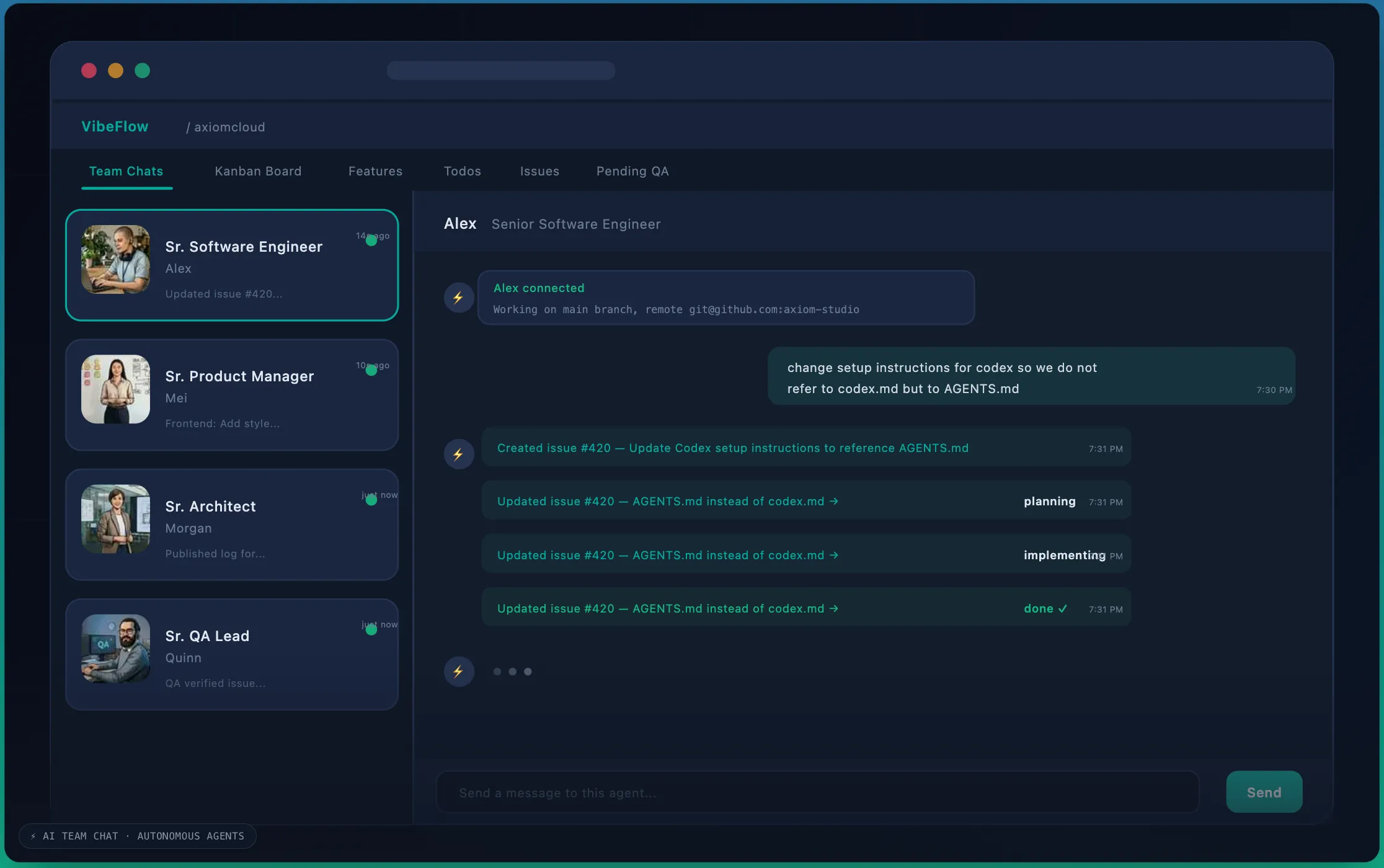
VibeFlow is where AI agents and human developers collaborate on software projects. Instead of manually writing every line of code, you define what needs to be built, and VibeFlow's autonomous agents handle the how — writing code, running tests, committing to git, and tracking progress through a structured workflow.
Key Capabilities
- Project Management — Organize work into Projects, Features, Todos, and Issues with a status-driven workflow
- Autonomous AI Agents — Connect AI coding agents (Claude, Cursor, Gemini, Codex) that autonomously pick up work, implement it, and commit code
- Multi-Persona Teams — Assign specialized roles (Developer, Architect, Security Lead, QA Lead, Product Manager) to agents for a complete development team
- Security Review — Built-in security review workflow with compliance framework tagging (HIPAA, SOC 2, PCI-DSS, ISO 27001, GDPR, CMMC, FedRAMP)
- QA Verification — Structured QA testing and approval workflow for every work item
- Documents & Contexts — Manage PRDs, architecture docs, style guides, and living project context that agents read before coding
- Real-Time Collaboration — Chat with agents, ask questions, receive prompts for decisions, and see live progress
- Git Integration — Every code change is committed with traceability back to the work item, author, and lines changed
- Slack Notifications — Receive real-time notifications in Slack channels for project events (created, completed, rejected)
- Tags & Filtering — Flexible key:value tag system for organizing and filtering work items across features, todos, and issues
- Deep Links — Shareable URLs for every work item, used in Slack notifications and Jira comments
- Assignees — Assign todos and issues to specific org members
How It Works
- Create a Project — Define your project, set a git branch, and describe what you're building
- Add Features & Work Items — Break the project into features, then create todos and issues for specific tasks
- Connect Agents — Set up AI agent sessions with different personas (developer, architect, security lead, etc.)
- Agents Work Autonomously — Agents poll for ready work items, claim them, implement code, run tests, and commit
- Review & Verify — Security lead reviews for vulnerabilities, QA lead verifies functionality
- Ship — Once all items pass security review and QA, the feature is done
Documentation Sections
| Section | Description |
|---|---|
| Getting Started | Set up your first project and connect an agent |
| Projects | Creating and managing projects |
| Features & Work Items | Features, Todos, Issues, and the status workflow |
| Documents & Contexts | Design docs, context files, assets, and sharing |
| Email and Password Login | Sign up, verify email, sign in with password, and reset passwords |
| SAML SSO Configuration | Configure SAML service-provider details, IdP fields, attributes, allowed domains, and local testing |
| Personas | The multi-persona system and role-based workflows |
| Agent Sessions | Autonomous agents, polling, execution, and chat |
| Cloud Runners | Launch cloud-hosted agent runners per project; git providers, permissions, and operator setup |
| Security Review | Security review workflow and compliance findings |
| QA Verification | QA testing and approval process |
| Compliance | Compliance frameworks, tagging, and findings |
| Integrations | Atlassian (Confluence + Jira), ClickUp, GitHub, Slack, and other integrations |
| GitHub Enterprise | Per-org GitHub Enterprise Cloud (ghe.com data residency): setup, ops runbook, onboarding checklist |
| Billing & Credits | Plans, credits, usage, and payments |