
Member Project Access Control (Project ACL)
AxiomCloud projects support per-project access control inside an organization. Every project has a visibility state that determines which members of your organization can see it and its contents (features, todos, issues, execution logs, documents, contexts, attachments, work summaries, and kanban items). Enforcement is on by default and applies identically to the web UI, the REST API, and the MCP agent tool surface.
There is no cross-organization sharing: access can only be granted to members of the project's own organization.
Visibility states
A project is in exactly one of three states:
| State | Who can see the project and its contents |
|---|---|
| Private (default) | The project owner only |
| Org-restricted | The owner, plus members with an explicit access grant |
| Org-shared | Every member of the organization |
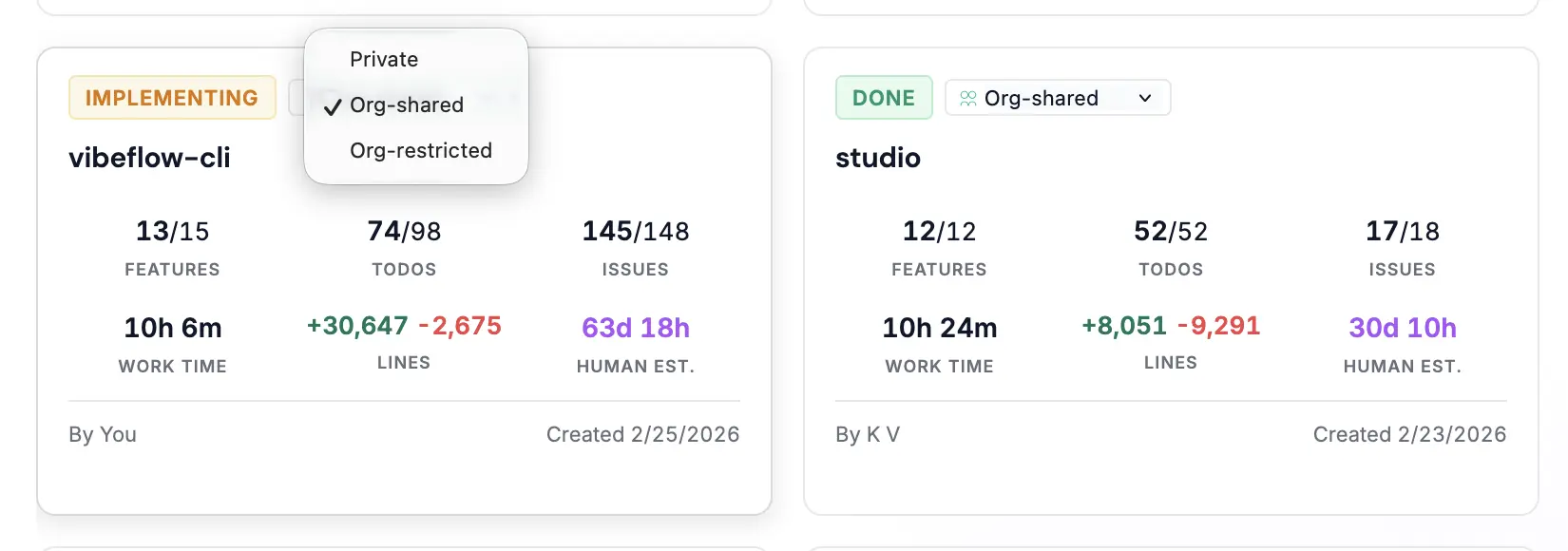
Key behaviors:
- New projects are Private by default. Sharing is always an explicit choice by the owner.
- Hidden means nonexistent. A project you cannot see behaves exactly like a project that does not exist: it is absent from lists, and fetching it by ID returns the same
404/ empty result a wrong ID would. The API never confirms the existence of a project you are not entitled to. - Fail-closed. If the system cannot resolve your entitlements (for example, a lookup error), you keep access to your own projects, Org-shared projects, and your direct user grants — domain and org grants are dropped rather than guessed. Access is never silently widened.
- Nested content follows the project. Items reached indirectly (a todo's logs, a feature's issues, documents and contexts linked to the project, the org-wide swimlane board) are filtered by the same rule as the project itself.
Changing the state is done from the project's visibility dropdown in the UI, or via the API (see below). Only the project owner can change it. Changes from Org-restricted to Org-shared are recorded in the audit log, since they expand visibility.
Access grants (Org-restricted projects)
An Org-restricted project is shared by adding grants. A grant names a principal and a role:
- Principal types
user— a single organization member (identified by user ID or email).domain— every member whose email is under the domain. The domain must be your organization's own domain or a domain that has been verified for the organization.org— every member of the organization (the principal ID must be your own organization ID).
- Roles:
viewer(default) ormanager. Both roles currently grant the same read access to the project and its contents. Managing grants and changing visibility are restricted to the project owner.
When you add a domain or org grant in the UI, a confirmation dialog shows how many members the grant will cover.
Grants are managed from two places in the UI:
- Project → Access tab — manage the grant list for one project.
- Member Access page — available to all users; assign members to the Org-restricted projects you own, with per-column search and bulk assignment.
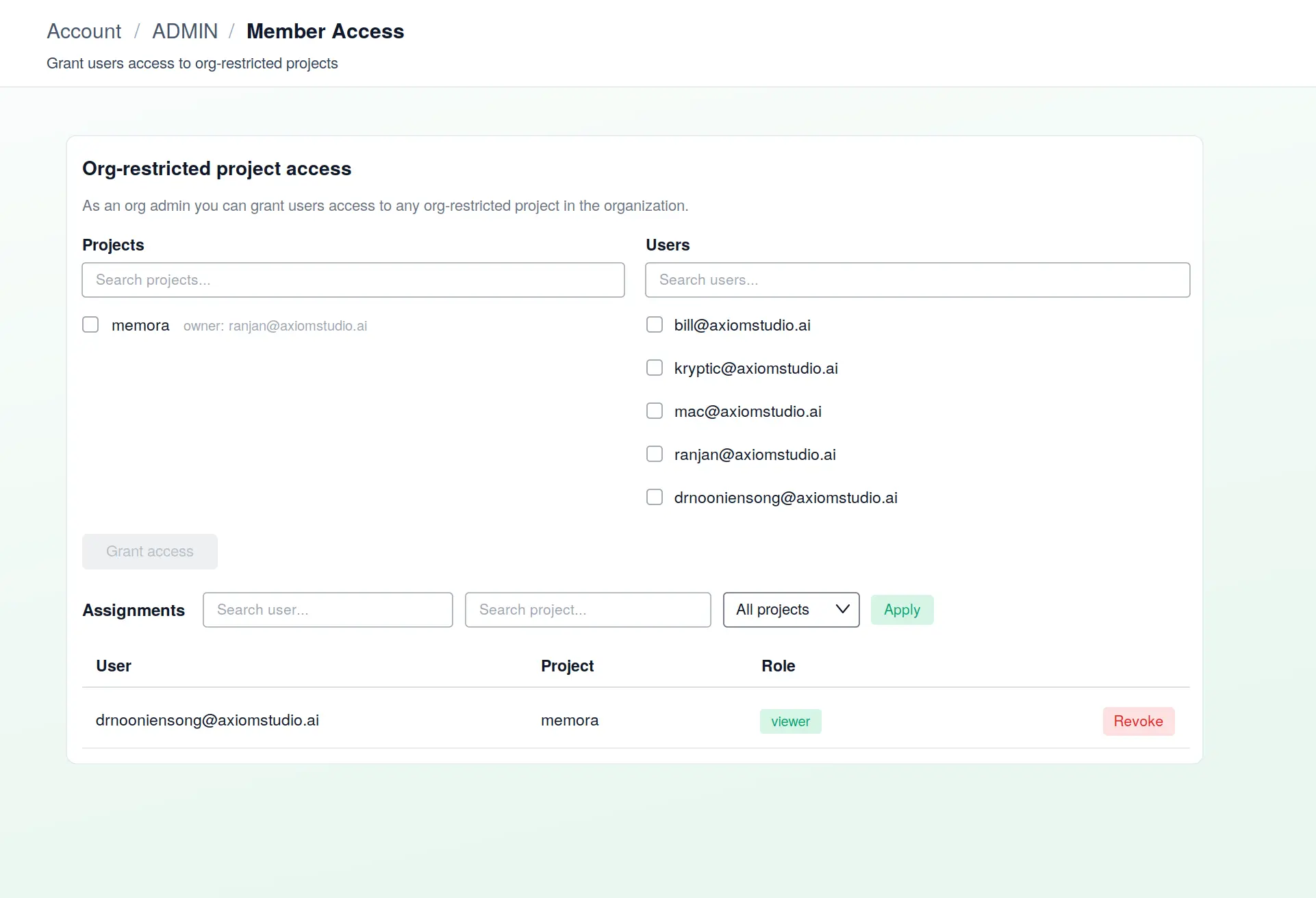
When a project is deleted, its grants are deleted with it.