
Documents & Contexts
VibeFlow manages two types of knowledge artifacts: Documents (versioned design artifacts) and Contexts (living project memory). Both are stored as markdown and are essential for agents to understand your project before writing code.
Documents
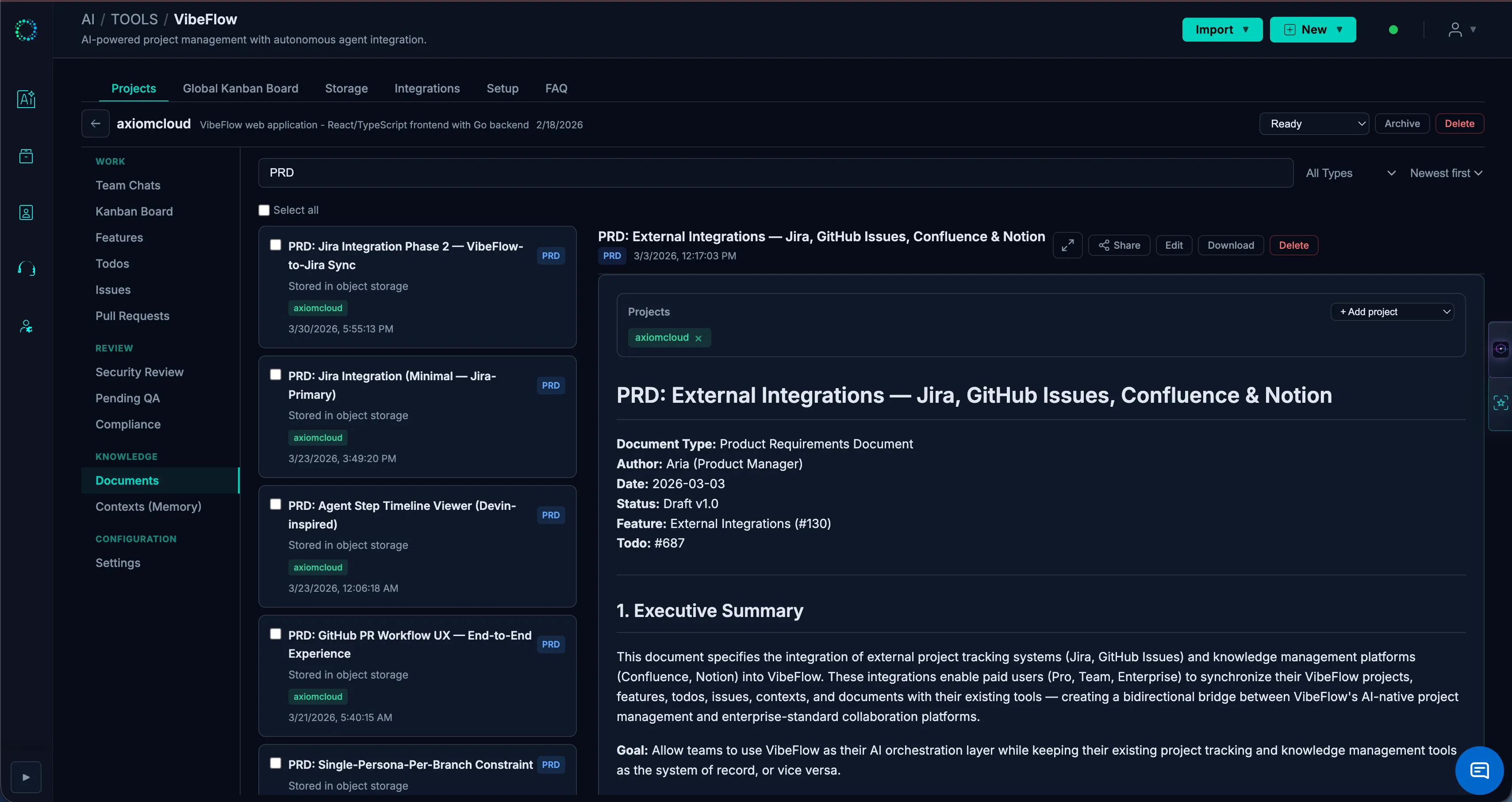
Documents are formal design artifacts attached to projects or features.
Document Types
| Type | Use Case | Examples |
|---|---|---|
| PRD | Product requirements | Feature specs, user stories |
| Architecture | System design | API designs, data models, component diagrams |
| Style Guide | Visual/code standards | CSS conventions, naming patterns |
| Design System | Component library | Reusable components, tokens, patterns |
| General | Everything else | Meeting notes, onboarding guides |
Creating Documents
- Navigate to a project or feature
- Click + New Document
- Enter:
- Title — Descriptive name
- Type — Select from the types above
- Content — Markdown content
- The document is automatically attached to the project or feature
How Agents Use Documents
Before implementing any work item, agents are instructed to load and read all relevant documents. This ensures:
- PRDs define the "what" and "why"
- Architecture docs define the "how"
- Style guides ensure consistency
- Design systems prevent duplicate component creation
Contexts
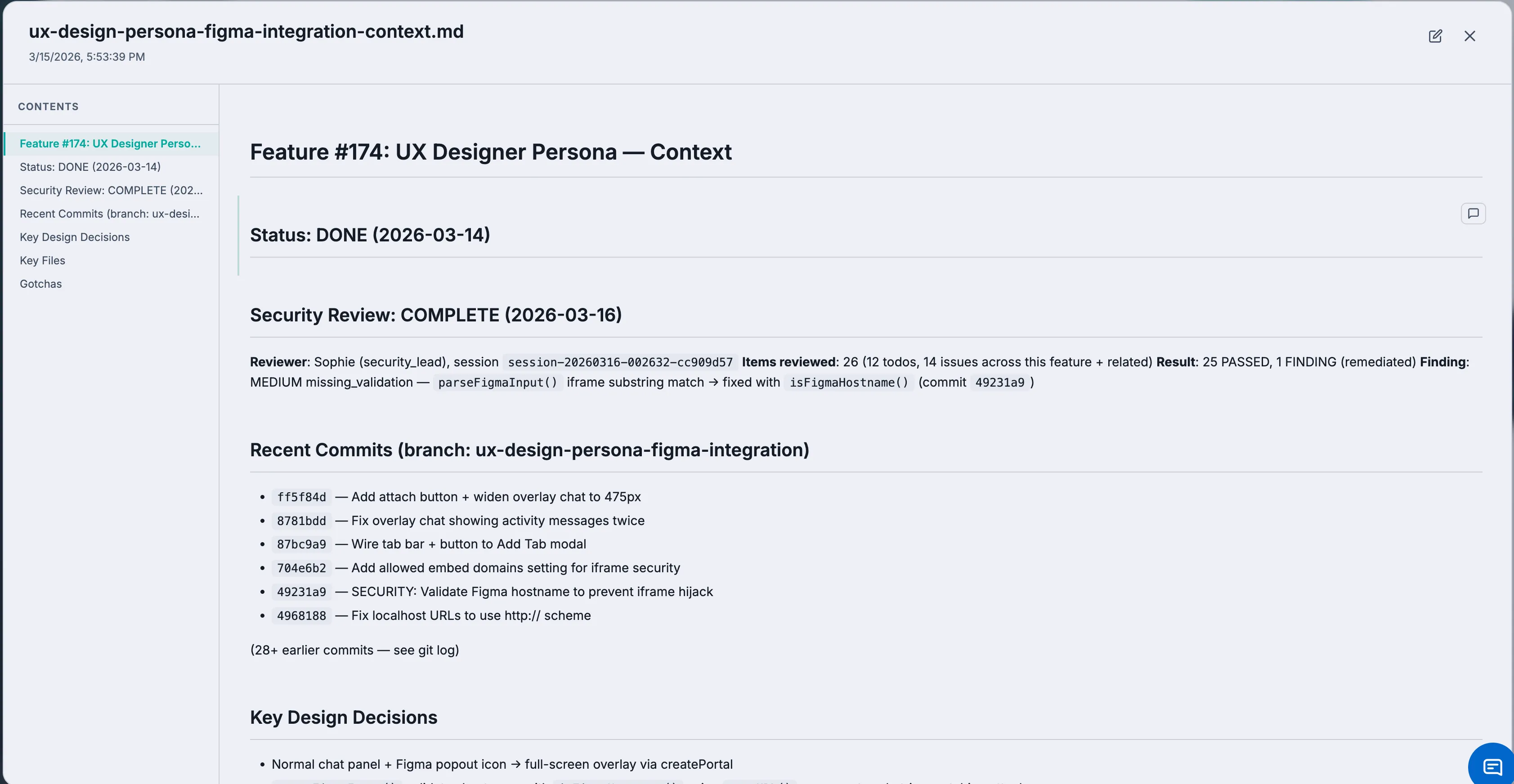
Contexts are living documents that capture project knowledge, conventions, and session history. They are the persistent memory of your project.
Context Levels
| Level | Scope | Examples |
|---|---|---|
| Project Context | Entire project | Architecture overview, migration version, known patterns, cross-feature conventions |
| Feature Context | Single feature | Feature-specific patterns, gotchas, design decisions, last work done |
How Contexts Work
- Project context (
{project-name}-context.md) — Updated by agents after every work session. Contains recent work summary, active documents, known patterns, and cross-feature conventions. - Feature context (
{feature-name}-context.md) — Updated when agents work on a feature. Contains feature-specific architecture, checklists, gotchas, and current state.
Contexts are the primary mechanism for knowledge transfer between agent sessions. When a new session starts, the agent reads the project context to understand what was done before and what conventions to follow.
Creating and Editing Contexts
Contexts are typically created and maintained by agents automatically. You can also:
- Create a context manually from the project or feature view
- Edit context content directly in the markdown editor
- Add context notes that agents should follow
Assets
Assets are files (images, screenshots, PDFs) that can be attached to any entity.
Uploading Assets
- Navigate to a project, feature, todo, or issue
- Click Upload Asset
- Select a file from your computer
- The asset is automatically attached and accessible
Images are auto-converted to WebP format for optimal size. Assets are stored in your configured object storage (S3, MinIO, R2, etc.).
Attachments
Attachments link documents and assets to entities:
| Entity | Can Attach |
|---|---|
| Project | Documents, Assets |
| Feature | Documents, Assets |
| Todo | Documents, Assets |
| Issue | Documents, Assets |
Attachments are categorized: design_system, architecture, requirements, or general.
Review Comments
Documents and contexts support section-level review comments:
- Open a document
- Find the section (## heading) you want to comment on
- Click the comment icon
- Write your review comment
- Comments appear inline, anchored to the section heading
This enables collaborative review of design docs before implementation.
Public Sharing
Share documents and contexts with external stakeholders:
- Open a document or context
- Click Share
- Generate a public link (with optional expiration date)
- Anyone with the link can view the content (read-only)
Public share links do not expose author email addresses (GDPR/SOC 2 compliance).